

Find What Fits Your Wardrobe with the LitBuy Spreadsheet
Browse the LitBuy spreadsheet collection for the pieces your everyday wardrobe is missing. Start with a category, compare product pictures and prices, and keep the styles you can see yourself wearing.
A useful shortlist keeps each choice clear. Record the option and fit information that matter, then use the order, QC and shipping guides when you reach those steps.
Give each product a complete identity
Keep the item title, source link, checking date, selected option and quantity together. Measurements and included pieces deserve their own fields. A product page may show several options, so saving its address does not necessarily save your colour or size selection.
For example, this colour-block raglan varsity jacket gives you a specific item to compare. Record the option you intend to order and inspect its measurements. The photograph alone does not establish the fabric composition or weather protection.
If another item from the jacket category looks suitable, create a separate row. Do not let the first jacket's notes become the second jacket's description.
Keep the numbers in separate fields
Record the item amount separately from logistics costs. A price displayed for an item is not a complete quote for the eventual international parcel. Quantity, packaging and the chosen delivery option belong to later cost checks when the relevant information is available.
Use the same measurement units when comparing clothes. If a listing provides a flat width, do not silently compare it with a circumference. Note what was measured so you can repeat the comparison without relying on memory.
Show what has actually happened
A saved product, a purchased item and a checked warehouse item are different states. Keep them separate from the parcel's shipping status. A product photograph can help identify a model, but it is not a QC image of your own received item.
Use the QC photo guide for the inspection step and the shipping calculator guide for the inputs behind a parcel estimate. Neither step should inherit an automatic approval from the shortlist.
Recheck when the choice changes
Reopen the source when the selected option, quantity or product changes. If the link now points to a different item, rebuild that row's comparison. If the page no longer opens, do not treat a historical entry as confirmation of availability.
The spreadsheet links guide explains link maintenance. The best spreadsheet criteria help you choose a manageable list, while the main guide takes the selection through the later checks.
Try one real comparison
Choose two items that could serve the same purpose. Open both links and compare the option, quantity, measurements and included pieces. Keep the item amount separate from delivery costs. If one listing leaves a decisive detail unclear, a lower price does not settle the comparison.
This ribbed crewneck sweater is a concrete starting point for checking size information. Its visible texture does not establish fibre content or warmth. A useful row records what the description says without turning appearance into a material claim.
Check how the list handles change
Reopen a saved source before relying on an old option or amount. If a page now contains a replacement model, reassess it. If a link stops working, historical notes do not prove current availability.
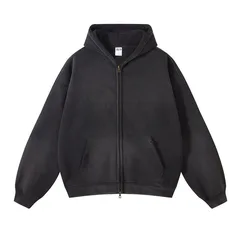
An alternative in the sweater and hoodie category deserves a new comparison row. Keeping the old measurements against a new link defeats the point of maintaining a shortlist.